








Still deciding? Your welcome offer is ready to claim.
100%
Claim Bonus
18+. T&Cs apply. Play responsibly.
up to $200 + 300 Free Spins

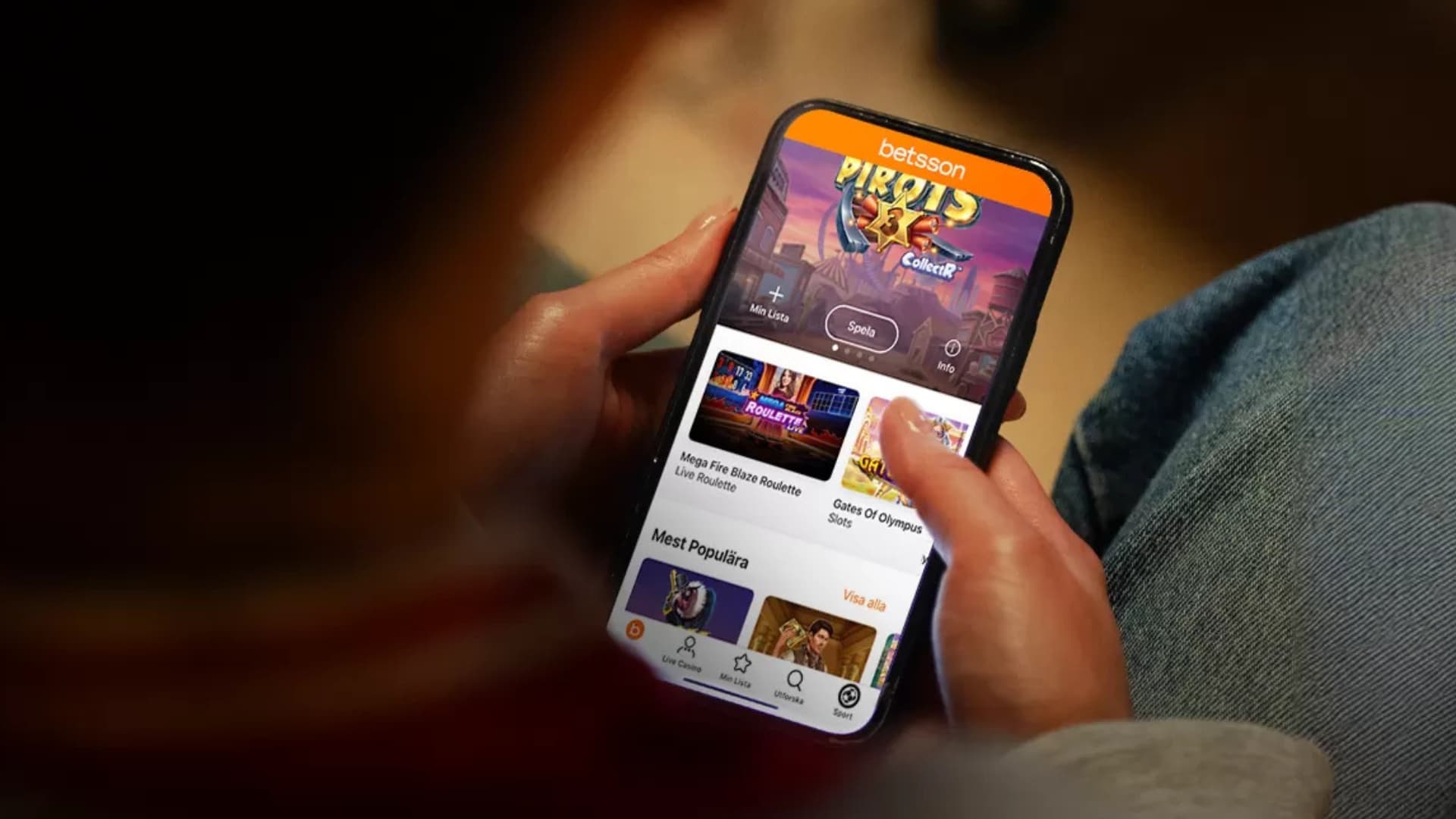
Betsson mobile app
Download the app from Betsson’s website for iOS or Android, or play in your mobile browser without installing it; the app shares your website account, balance and cashier.
Welcome bonusup to $200 + 300 Free Spins
Open Betsson’s own site on your phone and use the app download link.
Download and install the app, following the on-screen steps for your iOS or Android phone.
Sign in with your existing Betsson account to use the same account, balance and cashier as on the website.
To play without installing anything, open Betsson in your phone’s browser instead.
The Betsson app lets you play on your phone using your existing account. Get the download link from the casino’s own website, then follow the installation steps for your device. Your account, balance and cashier are shared with the website, so you can also play in a mobile browser without installing anything.
Open the Betsson website on your phone and find its app download link. Use that link to begin the download, then follow the prompts shown on your device. This keeps the process connected to the casino’s own site rather than relying on a link from an unrelated source.
The steps differ between iOS and Android because each operating system handles app installation in its own way. On either device, check the on-screen instructions before continuing and complete the installation using your phone’s normal settings. Once installed, open the app and sign in with the Betsson account you already use on the website.
On an iPhone or iPad, start from the download link on the Betsson website and follow the iOS prompts. If the device asks you to confirm an installation setting, review the prompt and proceed only when you are comfortable with it. Open the app after installation and use your existing login details.
On an Android phone or tablet, use the same website link and follow the instructions displayed during installation. Android may ask you to approve a setting before completing the process; check what the prompt says before making a change. After the app opens, sign in to reach your account.
| Mobile option | What to expect |
|---|---|
| Betsson app | Download it using the link on the casino’s website and sign in to your account. |
| iOS installation | Follow the prompts shown on your Apple device. |
| Android installation | Follow the prompts shown on your Android device. |
| Mobile browser | Use the website without installing the app. |
The app and website share your Betsson account, so there is no separate mobile profile to set up. Sign in with the account you already use and your balance will be the same across both ways of accessing the casino. Moving from a browser session to the app does not create a second account or a separate balance.
The cashier is also shared between the app and website. You can open it from the app to manage cashier activity in the same account, or use the website if you prefer a browser. Payment options shown to you depend on the cashier and your account. Betsson’s payment methods include Visa, Mastercard, Skrill, Neteller, MiFinity, LuxonPay, Paysafecard and bank transfer.
Installing the app is optional. Betsson’s browser version works on a phone, so you can open the website and sign in without downloading an application. This can suit you if you would rather avoid adding an app to your device or want to access your account before deciding which option to use regularly.
The browser and app both connect to the same account, balance and cashier. If you switch between them, sign in to the same account to pick up with the same account details. Choose the option that fits how you use your phone: the app is available to install, while the browser version needs no installation.
Keep the app current by following the update prompts on your device when they appear. The exact update steps depend on the operating system and how it manages installed apps. If you need to install the app again, return to the download link on the Betsson website and follow the instructions for your phone.
Betsson offers a mobile app and a mobile-compatible website. Check that your device can complete the installation steps and open the app before relying on it for access. If installation does not suit your device or you would rather not use the app, the browser version gives you another way to reach your account.
How do I install the Betsson app? Open the Betsson website on your phone and use the app download link. Follow the prompts displayed by your device to complete installation, then open the app and sign in. The steps can differ between iOS and Android, so follow the instructions shown for your operating system.
Can I use my website account in the app? Yes. The app and website use the same Betsson account, so sign in with the details you already use. Your balance is shared too, rather than held in a separate mobile account. You can switch between the app and browser while using the same account.
Can I make deposits in the app? The app uses the same cashier as the Betsson website. Open the cashier in the app to view the options available for your account and proceed there. Betsson’s payment methods include Visa, Mastercard, Skrill, Neteller, MiFinity, LuxonPay, Paysafecard and bank transfer.
How do I update the Betsson app? Follow the update prompt provided by your device when one appears. The steps depend on whether you use iOS or Android and how that device handles app updates. If you need to reinstall, return to the download link on the Betsson website and follow the installation instructions.
Will the app work on my device? Betsson offers a mobile app, but the installation steps depend on your device’s operating system. Try the download link on the casino’s website and check whether your phone can complete the displayed steps. If you cannot or do not want to install it, use the mobile browser version instead.
Can I play without installing the app? Yes. The Betsson website has a mobile browser version that works without an installation. Open it on your phone and sign in to your account. The browser and app share the same account, balance and cashier, so you can choose either way to access them.
| Feature | Details |
|---|---|
| Mobile app | Available |
| App download | Download link on the Betsson website |
| Account access | The app and website use the same account and balance |
| Cashier | The app uses the same cashier as the website |
| Browser play | The browser version works without installing the app |
Find answers about installing the Betsson app and playing on a phone. The app and mobile browser offer different ways to access the casino.
Yes, Betsson has a mobile app for playing on a phone. The download link is on the casino’s own website. The app is the mobile option for players who prefer not to use the casino in a phone browser.
Get the Betsson app from the download link on the casino’s own website. The link is the place to start the installation on your phone. No app-store name or separate download source is needed for this route.
On iOS, use the app download link on the casino’s own website and follow the installation steps shown on your phone. Once installed, open the app to play. The app uses the same Betsson account as the website.
On Android, open the app download link on the casino’s own website and follow the installation steps on your phone. After installation, launch the app and sign in with your Betsson account. The casino does not require a separate account for app use.
Yes, you can use the browser version without installing the app. Open the casino’s website in your phone’s browser to play there instead. The app and browser are both ways to access Betsson on a mobile device.
Yes, the app shares your Betsson account, balance and cashier with the website. You can access the cashier from the app using the same account. The payment methods available at Betsson include Visa, Mastercard, Skrill, Neteller, MiFinity, LuxonPay, Paysafecard and bank transfer.
Yes, Betsson’s mobile service is compatible with mobile devices. The app is available for phone play, and the browser version is another way to access the casino on mobile. The casino does not require you to install the app to use the browser version.
100% up to $200 + 300 Free Spins
Spin once for a tip from the lobby: an offer to claim or a game to try today.
Still deciding? Your welcome offer is ready to claim.
up to $200 + 300 Free Spins